Sigillus
Sigillus is an app I developed for the Mobile Systems Security course at Adam Mickiewicz University in Poznań. It is a notes app that looks minimal on the surface, with only the essential features.
The technical effort focused on raising the app’s security level as much as possible, implementing the best practices learned in the course taught by the (to me legendary) prof. Michał Ren.
It is also possible to download the APK.
Authentication mechanisms
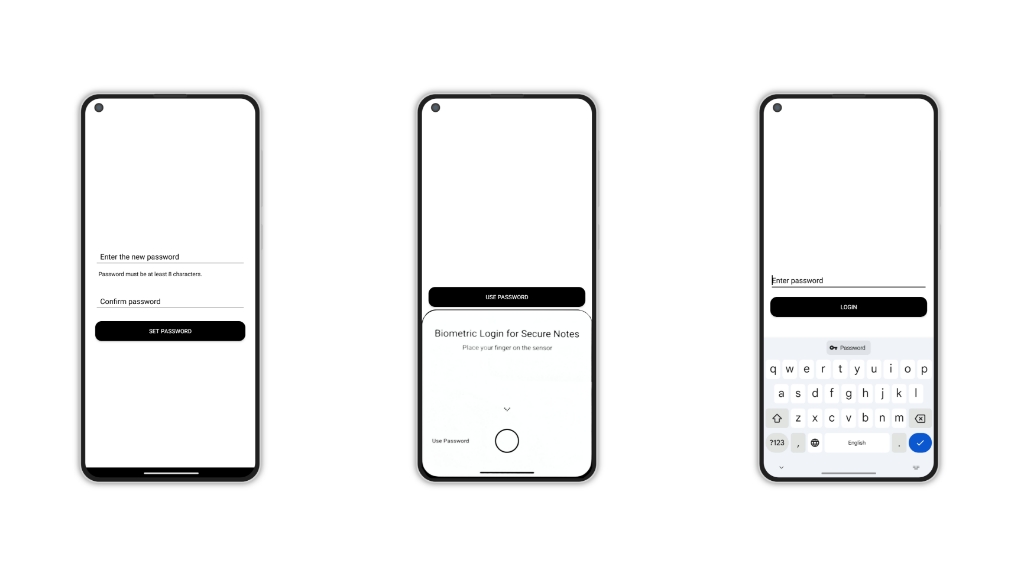
Access to the app is allowed either via password or, if enabled, via biometrics.
Password
On first launch, the user is asked to set a password.
There are constraints to respect in the choice: forcing the user to choose passwords with symbols, numbers, lowercase/uppercase letters helps only to a small extent. A large part of a password’s security lies in its length, because a long password greatly increases the number of attempts needed to “guess” it.
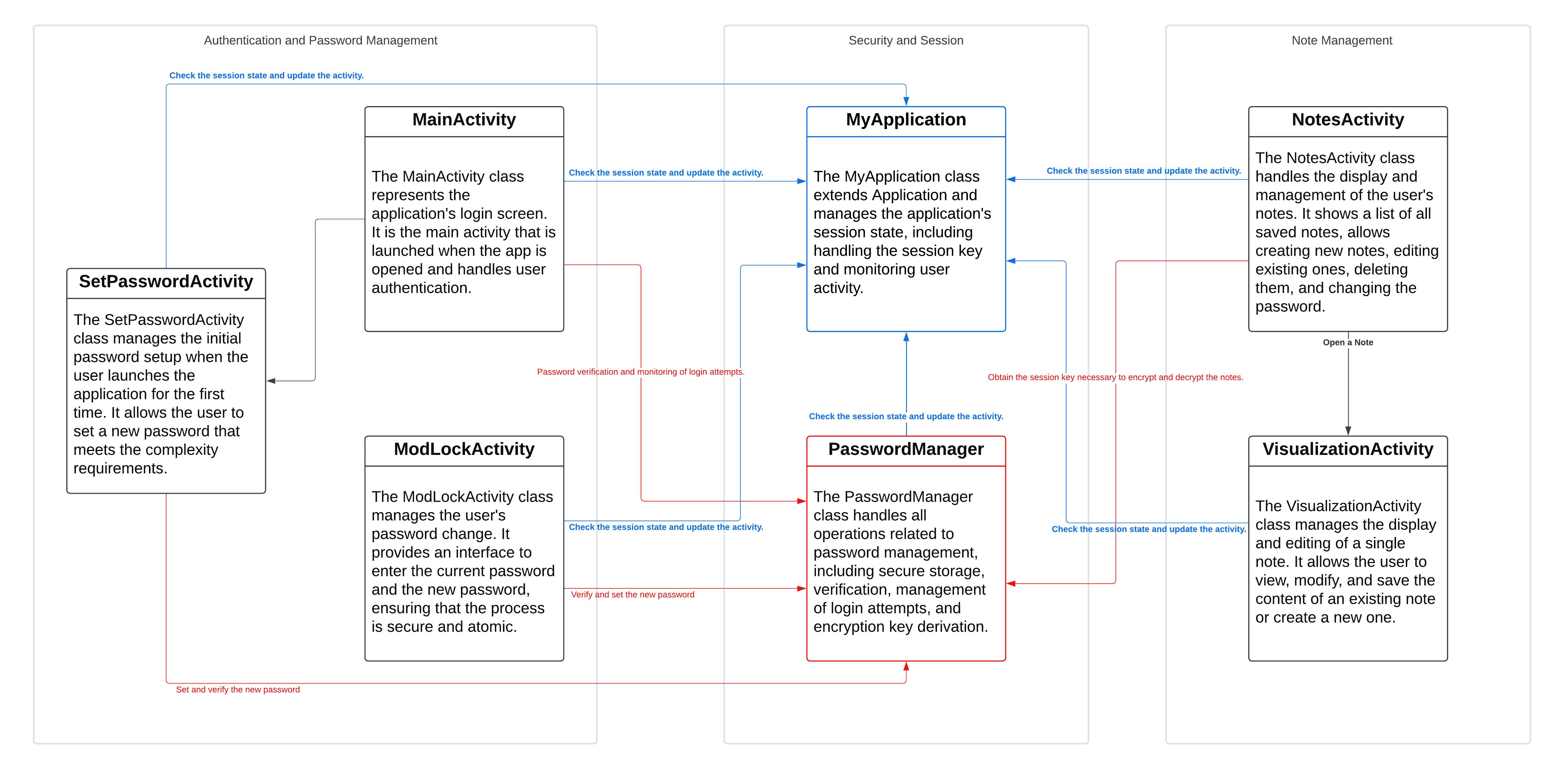
From the chosen password, a symmetric encryption key is derived via PBKDF2 (with SHA-256, 100,000 iterations + salting), which in this article we will call “UserKey”.
At the same time, the program generates a 32-bit “MasterKey”, which will be used to encrypt the user’s notes.
The UserKey is used to encrypt the MasterKey via AES-GCM. After that, the UserKey is “forgotten”. Every time you want to decrypt the MasterKey, you will need to re-enter the UserKey so that the system can derive again the key with which the MasterKey was encrypted.
But why didn’t I encrypt the notes directly with the UserKey? Imagine you want to change your password: if I had used the UserKey directly, when changing the password the program would first have had to decrypt all notes with the old password, and then re-encrypt them with the new one. Definitely not ideal.
With the approach used instead, only the MasterKey is decrypted and re-encrypted, with lower resource consumption, shorter waiting time, and fewer weak points in the code.
Biometrics
After setting up the password, it is also possible to enable biometric access. In that case, an encrypted version, via a Hardware-Backed Key, of the MasterKey is saved in the smartphone’s Trusted Execution Environment, making it “impossible” to access it without biometric access, even with root privileges.
Note encryption
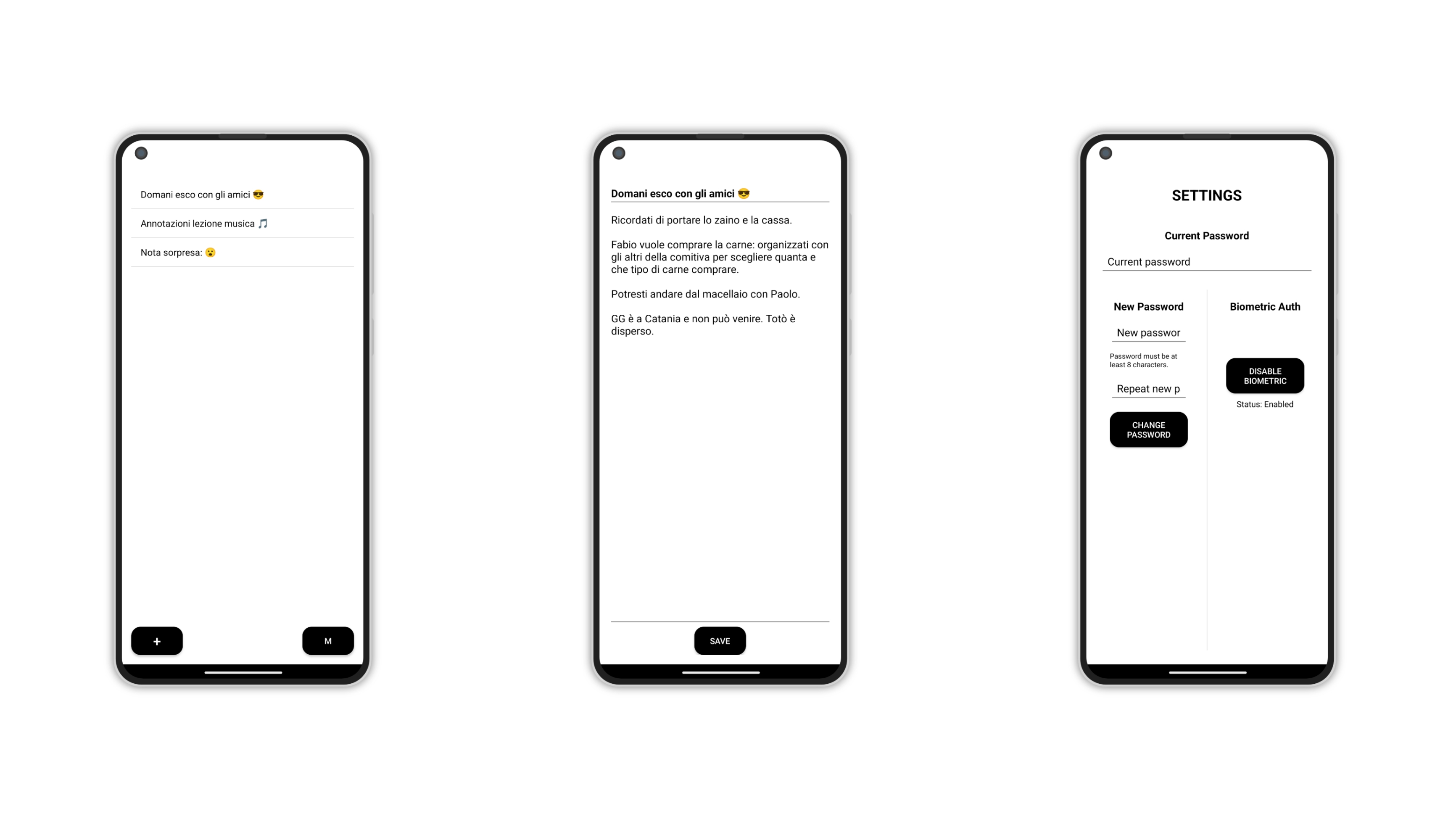
As said, notes are encrypted using the MasterKey via AES/GCM 256-bit encryption and, for additional security, every time we encrypt a note a new Initialization Vector is used. Both the IV and the ciphertext are saved on disk, “impossible” to decrypt without the Master Key.
You can find more information about the project on GitHub.